

Create and interpret code in the PHP and Perl programming language. The tool also includes Apache HTTP Server and MariaDB database.
Xampp is a free package of web services developed by Apache Friends. The package is cross-platform, so it can work in Windows, Mac OS X, Solaris and Linux of course. The main purpose of the package is to simplify the installation and control of several web services.
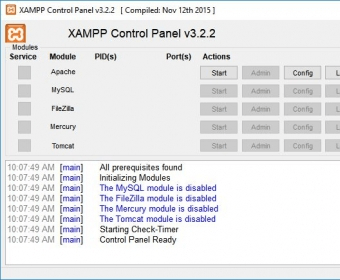
The package includes Apache HTTPD (2.2.1.1), Openssl 0.9.8i, MySQL 5.1.33, PHP 5.2.9, among others. It was originally designed as a development application, so that people could test their scripts, codes and websites on their own computers without the need of an external server using all the services needed. The application is very easy to install, just running the installer will allow you to select the services you want to run on your computer, and when to run them. Once the program is installed, you can use its Control Panel application to start, stop or manage the services with ease. It features a very useful graphic interface, but there are also powerful terminal commands you can use to manage all the services.
The version 1.7 brings the latest versions of all services as well as full compatibility with Vista. This package is excellent for all those web developers out there.






Comments (11)