Review Comments (3) Screenshots (3) Questions & Answers (0) Votes (36) Awards (6) Wiki  
-Please log in to rate
4.5 4.5/5 (36)
-Apache Friends
-1.7
- www.apachefriends.org
-Freeware
- 12 086 people
Download XAMPP 1.7

34.88 MBDownloaded 5278 times


Review

Xampp is a free package of web services developed by Apache Friends. The package is cross-platform, so it can work in Windows, Mac OS X, Solaris and Linux of course. The main purpose of the package is to simplify the installation and control of several web services.

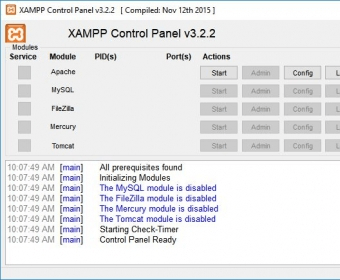
The package includes Apache HTTPD (2.2.1.1), Openssl 0.9.8i, MySQL 5.1.33, PHP 5.2.9, among others. It was originally designed as a development application, so that people could test their scripts, codes and websites on their own computers without the need of an external server using all the services needed. The application is very easy to install, just running the installer will allow you to select the services you want to run on your computer, and when to run them. Once the program is installed, you can use its Control Panel application to start, stop or manage the services with ease. It features a very useful graphic interface, but there are also powerful terminal commands you can use to manage all the services.

The version 1.7 brings the latest versions of all services as well as full compatibility with Vista. This package is excellent for all those web developers out there.
Advantages
  • Excellent package.
Disadvantages
  • None Found

Reviewed by: Ismael Mireles

Reviewer rating: Editor's rating 5

Screenshots

Control Panel Control Panel Control Help Control Help Service Settings Service Settings

Latest comments

Guest #205363(beginner) Last year 
This is a very good software when it comes to making stuff for games (or even hacking the games )

Hey Guest, you cant just do something like that with it, when you clicked it to start. You have to go somewhere to get everything you want with it .

This is what you have to do:
1.) Start XAMP.
2.) Start Apache
3.) Start MySql
4.) Go to this website after you done the above and do your stuff: http://127.0.0.1/xampp/index.php
Guest #7722(beginner) Last year 
good, complex?? dont really know how to open a php file still, I ran it on XAMPP then tried clicking on it and nothing happened?? HELP!!
N14n_Cyber(beginner) 7 months ago 
OOOo.... it's A piece Of cake.. you still click start xampp and click start apache...
If nothing happened, you must install again with new xampp... Thanks By :Cyber Com
Add new comment All 3 comments
Tag cloud
Download siClient

Email Address:

Password:

Register now »

Forgot password?

Copyright © 2009, Informer Technologies, Inc. About| Privacy and terms| Help| Feedback